
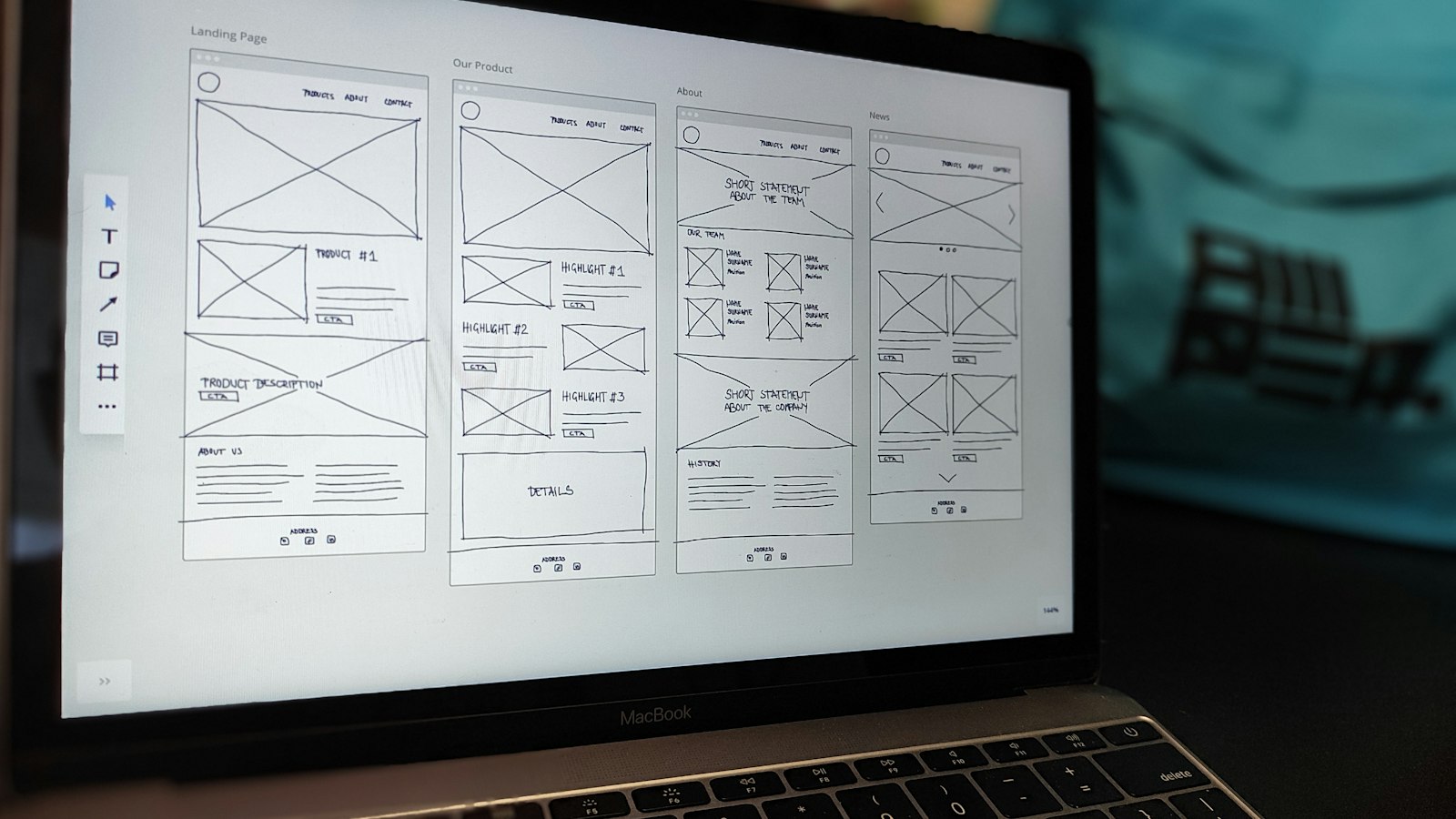
Before a website redesign goes live, fix 12 things: the goal, what already works, your URL plan, above-the-fold messaging, forms, trust signals, mobile speed, accessibility and Arabic, on-page SEO, redirects, tracking and launch QA. A redesign is one of the biggest marketing spends a small business makes. Done well, it gives you a faster site and more enquiries. Done badly, it can wipe out years of search rankings overnight. The difference is rarely the design itself. It is the preparation, the migration and the checks that happen before launch day.
This checklist is written for SMEs in Dubai and across the UAE who are planning a new site or refreshing an old one. It covers the 12 things we would fix before any website redesign goes live, in roughly the order you should tackle them. If you would like a team to handle the whole process, our web design follows this same approach.
What should you plan before a website redesign?
1. Agree the goal and the one action that matters
Before anyone opens a design tool, write down why you are redesigning. “It looks dated” is a valid starting point, but it is not a goal. A useful goal names a business outcome: more quote requests, more WhatsApp enquiries, more bookings, or fewer support calls. Then decide the single primary action you want a visitor to take on most pages. Every later choice, from layout to copy, should point to that action.
Write the goal on one page and share it with everyone involved. When opinions clash over colours or images later, this page settles the argument.
2. Audit what already works
Old sites often have pages that quietly bring in traffic and leads. Before you change anything, export a list of your current pages and check which ones get visits, rank in Google, earn links from other sites or generate enquiries. Use Google Search Console and your analytics tool for this. Pages that perform should be kept, improved or carefully redirected, never simply deleted because they do not fit the new design.
3. Plan your information architecture and URLs
Map the new site structure on paper first. Group services logically, keep navigation short and make sure every important page is reachable within a few clicks. Then decide the URL for each page. Where you can keep an existing URL, keep it. Where a URL has to change, record the old and new addresses side by side in a spreadsheet. That spreadsheet becomes your redirect map, and it is the most important document in any website redesign.
What should visitors see first on a redesigned site?
4. Make the value clear above the fold
When someone lands on your homepage or a service page, they should understand within a few seconds what you do, who it is for and what to do next. That means a plain headline that names the service and the outcome, a short supporting line, and one obvious button. Clever slogans and full-screen sliders often bury the message. Test your draft by showing it to someone outside the business and asking them what you sell.
5. Simplify forms and calls to action
Every extra form field is a small reason to give up. Ask only for what you need to respond: usually a name, a contact method and a short message. In the UAE, many customers prefer WhatsApp or a phone call, so offer those options clearly alongside the form. Keep one primary call to action per page and make secondary options visually quieter. Check that every form actually sends to a monitored inbox and that the person submitting sees a clear confirmation.
6. Place genuine trust signals where decisions happen
People hesitate just before they act, so put reassurance near your buttons and forms. Real reviews, client logos you have permission to use, accreditations, trade licence details, a physical Dubai address and a named contact all help. Only use testimonials and results you can verify. Invented or vague claims damage trust quickly, and they can create problems with platforms and regulators. If you are still collecting reviews, a clear process and an honest description of how you work is better than filler.
How do you check performance, accessibility and Arabic support?
7. Test mobile performance and Core Web Vitals
Most of your visitors will arrive on a phone, often on mobile data. Design and test on mobile first, not as an afterthought. Run key templates through Google PageSpeed Insights and review the Core Web Vitals report in Search Console once the site is live. Common fixes include compressing and resizing images, serving modern image formats, limiting heavy scripts and third-party widgets, lazy loading content below the fold and choosing reliable hosting. Set a simple rule for the team: nothing goes live on a key page without a speed check.
8. Build in accessibility and bilingual support
An accessible site is easier for everyone to use. Check colour contrast, use real headings in a logical order, add descriptive alt text to images, label every form field and make sure the site can be navigated with a keyboard. For UAE businesses, also decide early whether you need Arabic. A proper Arabic version needs right-to-left layouts, fonts that render well, professionally reviewed translation rather than raw machine output, and correct hreflang tags so Google shows the right language to the right searcher. Adding Arabic after launch is usually harder than planning for it from the start.
How do you protect your rankings during a website redesign?
9. Carry over titles, content and on-page SEO
A new design should not mean losing the words that helped you rank. For each page you keep, carry across or improve the title tag, meta description, main heading and body content. Check that internal links point to the new URLs, that images have alt text, and that important pages are not hidden behind tabs or scripts that search engines struggle to read. If your business relies on local customers, review how the new site supports your map listing and ask your SEO team to check redirects, titles and Search Console after launch.
10. Set up redirects, sitemap and Search Console
On launch day, every old URL that has changed should send visitors and search engines to the most relevant new page with a permanent 301 redirect. Avoid pointing everything at the homepage, as that wastes the value of the old pages. Then submit an updated XML sitemap in Google Search Console, check that the robots file is not blocking the site (a common mistake when a staging site goes live) and watch the coverage and page indexing reports closely for the first few weeks.
11. Install analytics and conversion tracking before launch
If you cannot measure enquiries, you cannot tell whether the website redesign worked. Install Google Analytics 4 and Google Tag Manager on the new site before launch, and set up conversion events for form submissions, phone clicks, WhatsApp clicks and bookings. If you run paid campaigns, make sure your ad platform tags fire correctly too, so campaign reporting does not break. Note your current enquiry levels before launch so you have a fair baseline to compare against. If you are still setting the budget for the build, our guide to website cost in Dubai helps you plan what a solid redesign typically includes.
Launch day and beyond
12. Freeze content, run QA and launch softly
Agree a content freeze a few days before launch so nobody edits the old site while pages are being moved. Then work through a QA list: click every link, submit every form, test on several phones and browsers, check page titles, confirm redirects with a crawler, and review the Arabic version if you have one. Launch at a quiet time of the week rather than just before a weekend or a campaign. Keep the old site backed up, and plan a review a few weeks after launch to compare traffic, rankings and enquiries against your baseline.
A quick website redesign checklist to print
- Goal agreed. Write down the business goal and the one primary action, and share it with everyone involved.
- Current site audited. List every page and check which ones bring traffic, rankings, links and leads in Search Console and analytics.
- Structure and URL plan. Map the new site, keep existing URLs where you can, and record every old and new URL in a redirect spreadsheet.
- Value clear above the fold. A plain headline, a short supporting line and one obvious button on key pages.
- Forms and calls to action simplified. Short forms, working WhatsApp and phone options, a monitored inbox and a clear confirmation.
- Verified trust signals placed. Real reviews, permitted logos, licence details and a Dubai address beside buttons and forms.
- Mobile speed tested. Key templates run through PageSpeed Insights, with images compressed and heavy scripts limited.
- Accessibility and Arabic checked. Contrast, headings, alt text, labelled fields and keyboard navigation, plus right-to-left layouts and hreflang if you need Arabic.
- On-page SEO carried over. Titles, meta descriptions, headings, body content and internal links moved to the new URLs.
- Redirects, sitemap and robots file live. 301 redirects to the closest matching page, XML sitemap submitted and the robots file not blocking the site.
- Analytics and conversion tracking tested. GA4, Tag Manager and conversion events for forms, calls, WhatsApp and bookings, with a baseline noted.
- Content freeze, QA and soft launch. Freeze edits before launch, click every link, submit every form, launch at a quiet time and book the post-launch review.
Summary
A successful website redesign starts with a clear goal and an audit of what already works, then protects your rankings with a redirect map and carried-over SEO. Test speed, forms, tracking and Arabic support before launch, not after. Work through the 12 numbered items above and review results against your baseline once the site is live.
Ready to plan your website redesign?
A website redesign should leave you with a site that is faster, clearer and better at turning visitors into enquiries, without losing the search visibility you already have. If you sell online, pair this checklist with our guide to e-commerce web design in Dubai. Work through the list with your team, or talk to Juka about planning, designing and launching your new site with the SEO migration handled from day one.
Frequently asked questions
How long does a website redesign take for an SME?
It depends on the number of pages, content readiness and whether you need Arabic. A small brochure site moves much faster than a large site with many services or products. The biggest delays usually come from content and approvals rather than design or development, so gather your copy and images early.
Will a website redesign hurt my Google rankings?
It does not have to, if you plan the SEO migration properly. Rankings usually drop when URLs change without redirects, content that ranked is removed, or a staging site blocks search engines at launch. Keeping a redirect map, carrying over on-page SEO and monitoring Search Console after launch protects most of what you have built.
Should I keep my existing URLs?
Keep them wherever they still make sense. Unchanged URLs carry their history with them. Where a change genuinely improves the structure, set up a 301 redirect from each old address to the closest matching new page.
Do I need an Arabic version of my website in the UAE?
Not always, but it is worth deciding before the redesign starts. If a meaningful share of your customers search or prefer to read in Arabic, a properly translated, right-to-left version can widen your reach. Planning it from the start is easier than adding it later.
What should I check on launch day?
Check that the site is indexable, redirects work and forms send. Then confirm analytics and conversion tracking are recording, submit your sitemap in Search Console and test key pages on a phone. Keep watching indexing and enquiries closely for the following weeks.
Is a redesign or a refresh better for my business?
If the structure and platform still work, a refresh is often enough. Updating messaging, speed, forms and trust signals can improve results without the risk of a full rebuild. A full website redesign makes more sense when the platform is outdated, the site is hard to manage or the structure no longer fits your services.